Yes, there is internet and Wi-Fi on the Everest Base Camp trek, but it is not the same as the internet you use in Kathmandu, at home, or in a city hotel. You can usually get online in most major villages along the EBC route, including Lukla, Phakding, Namche Bazaar, Tengboche, Dingboche, Lobuche, and Gorak Shep. However, the connection becomes slower, more expensive, and less reliable as you climb higher.
For most trekkers, the internet on the Everest Base Camp trek is good enough for WhatsApp messages, short video calls, checking emails, uploading a few photos, and basic browsing. But if you expect fast streaming, big file uploads, remote work, or stable calls every day, you may be disappointed.
This guide explains how Wi-Fi works on the EBC trek, where you can find it, how much it costs, what SIM cards work, and how to stay connected safely without depending too much on the internet in the mountains.
Table of Contents
Internet on the Everest Base Camp Trek: What to Expect
The Everest Base Camp trek passes through remote mountain villages in Nepal’s Khumbu region. These villages are surrounded by high peaks, deep valleys, glaciers, and difficult terrain. Because of this, internet service depends on a mix of local Wi-Fi networks, mobile coverage, satellite systems, and weather conditions.
In lower villages, internet access is usually better. Lukla and Namche Bazaar often have relatively usable Wi-Fi and mobile data. Namche is the main commercial hub of the trek, so you will find better cafes, bakeries, lodges, and charging facilities there.
After Namche, the connection becomes less predictable. Tengboche, Dingboche, Lobuche, and Gorak Shep may have Wi-Fi, but it can be slow, crowded, or unavailable during bad weather. At Gorak Shep, the last settlement before Everest Base Camp, internet can work, but you should not rely on it for anything urgent.
If you are still planning the full trail, read this day-by-day Everest Base Camp route guide to understand where you will sleep each night and where internet access may be available.
Is There Wi-Fi in Tea Houses on the EBC Trek?
Yes, many tea houses on the EBC trek offer Wi-Fi, especially in popular overnight stops. However, Wi-Fi is usually not free. In most places, you pay for a Wi-Fi card, voucher, or password. Some lodges sell internet by data limit, while others sell it by time.
The quality depends on:
- Your altitude
- The weather
- Number of users online
- Lodge equipment
- Power availability
- Network provider
- Distance from stronger villages like Namche
During peak trekking seasons, many trekkers connect at the same time in the evening. That is when Wi-Fi becomes slowest. Everyone returns from the trail, charges phones, messages family, uploads photos, and checks social media. If you need better speed, try using the internet early in the morning or during quieter afternoon hours.
Tea house Wi-Fi is useful, but you should treat it as a bonus, not a guarantee. If your family expects daily updates, tell them in advance that you may miss a day or two because of poor signal.
For more about what to expect from lodges, meals, and mountain stays, this guide on the best tea houses in EBC gives helpful context.
How Much Does Wi-Fi Cost on the Everest Base Camp Trek?
Wi-Fi prices vary by village, season, and provider. In general, internet gets more expensive as you go higher.
In lower areas like Lukla, Phakding, and Namche Bazaar, Wi-Fi may be cheaper and more stable. Higher up, in places like Dingboche, Lobuche, and Gorak Shep, the cost is usually higher because everything is harder to supply and maintain.
A rough expectation:
- Lower villages: cheaper and more reliable
- Namche Bazaar: usually the best balance of price and quality
- Dingboche and Lobuche: slower and more expensive
- Gorak Shep: often the most expensive and least reliable
Some lodges may offer free Wi-Fi if you eat or stay there, but this is not always the case. Even when Wi-Fi is advertised as free, it may be too slow for anything beyond basic messaging.
Do not plan your trek budget assuming internet is free. Add a small daily allowance if staying connected is important to you. If you are budgeting carefully, this article on Everest Base Camp trek costs can help you estimate extra expenses like Wi-Fi, charging, snacks, and hot showers.
Does Mobile Data Work on the EBC Trek?
Mobile data works in some parts of the Everest Base Camp trek, but coverage is not continuous. Nepal’s main telecom providers, such as Ncell and Nepal Telecom, offer SIM cards that can work in the Khumbu region. Still, the signal can disappear between villages, inside valleys, or behind mountains.
You may get mobile data in:
- Lukla
- Phakding
- Namche Bazaar
- Tengboche area
- Dingboche area
- Some parts near Lobuche and Gorak Shep
But the signal can be weak or unstable. Sometimes your phone may show bars, but the internet still does not load properly. Weather, network congestion, and terrain all affect performance.
If you want mobile data, buy a Nepali SIM card in Kathmandu before flying to Lukla. You will need your passport and a passport-size photo in many shops. It is better to set it up in Kathmandu because SIM registration, data package activation, and troubleshooting are easier there.
Do not wait until Lukla or Namche to solve SIM problems unless you have no other option.
Wi-Fi vs SIM Card: Which Is Better?
For most trekkers, the best option is to use both a local SIM card and tea house Wi-Fi.
A SIM card is useful while walking, especially if you get coverage during the day. It helps you send quick messages, check maps, or contact your guide. Wi-Fi is more useful in the evening when you reach a lodge and want to send photos or call family.
Here is a simple comparison:
Local SIM Card
Best for:
- Short messages
- Emergency contact when signal is available
- Basic browsing
- Using maps
- Staying connected between villages
Limitations:
- Coverage is not everywhere
- Signal can be weak
- Data may stop working at higher altitude
- Requires setup in Nepal
Tea House Wi-Fi
Best for:
- Evening communication
- Email checking
- Photo uploads
- Messaging family
- Occasional calls
Limitations:
- Usually paid
- Can be slow
- Depends on lodge system
- May fail during bad weather or power cuts
If you only need basic communication, a SIM card plus occasional Wi-Fi is enough. If you need to work online, join meetings, upload videos, or manage business tasks, the EBC trek is not a reliable place for that.
Can You Make Video Calls on the EBC Trek?
Yes, you can sometimes make video calls on the EBC trek, especially in Namche Bazaar and lower villages. But after Namche, video calls become less reliable.
WhatsApp, Messenger, FaceTime, and Zoom may work when the connection is strong. However, calls can freeze, disconnect, or have poor audio. Video calls also use more data and battery, both of which are limited resources in the mountains.
A better approach is:
- Send short voice messages
- Use text updates
- Share compressed photos
- Make video calls only when Wi-Fi is strong
- Tell family not to panic if you are offline
Many trekkers underestimate how much altitude, cold, and fatigue affect daily communication. After long walking days, you may not even feel like spending time online. Sometimes a short “I’m safe” message is enough.
Is There Internet at Everest Base Camp Itself?
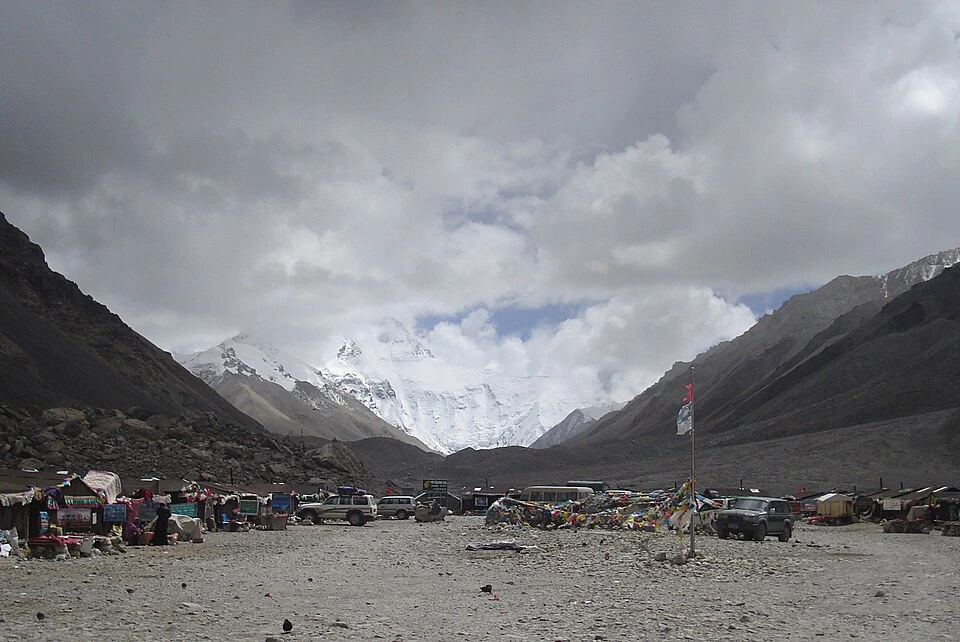
There may be some mobile signal or expedition-based connectivity near Everest Base Camp during climbing season, but regular trekkers should not expect reliable internet at the actual base camp location.
Most trekkers visit Everest Base Camp as a day hike from Gorak Shep. You walk to the base camp area, take photos, enjoy the view, and return to Gorak Shep the same day. There are no regular tea houses for trekkers at the base camp itself.
Also, trekkers are generally not allowed to stay overnight at Everest Base Camp. If you want to understand the rule and why it matters, read this update on why trekkers can’t stay at Everest Base Camp.
So, if you want to message family after reaching base camp, you will likely do it once you return to Gorak Shep, assuming Wi-Fi or mobile signal is working.
Can You Work Remotely on the Everest Base Camp Trek?
Technically, you might be able to send emails or do small online tasks in some villages. But the Everest Base Camp trek is not suitable for serious remote work.
The reasons are simple:
- Internet is unstable
- Power cuts happen
- Charging costs money
- Cold drains batteries
- Trekking days are tiring
- Weather can delay your schedule
- You may be offline for long periods
If your work requires meetings, deadlines, large uploads, live support, or constant availability, finish those tasks before the trek. At most, plan for light check-ins during rest stops like Namche Bazaar or Dingboche.
The EBC trek is physically demanding, and altitude can affect your sleep, energy, and concentration. If you are concerned about fitness and preparation, this guide on Everest Base Camp trek fitness requirements is worth reading before you go.
Charging Your Devices on the EBC Trek
Internet is only useful if your phone has battery. Charging is available in most tea houses, but it usually costs extra, especially higher up the trail.
Cold weather drains batteries faster. At high altitude, your phone may lose power quickly even if you are not using it much. Power banks also perform worse in freezing temperatures.
To manage battery life:
- Carry a good power bank
- Keep devices inside your sleeping bag at night
- Use airplane mode while walking
- Turn off background apps
- Download offline maps
- Reduce screen brightness
- Avoid unnecessary video recording
- Charge whenever you have a reliable opportunity
If you are packing electronics, clothing, and trekking essentials, this Everest Base Camp packing guide can help you avoid missing important items.
Best Apps to Use for Communication
Before starting the trek, install and set up the apps you need. Do not wait until you are in the mountains.
Useful apps include:
- Messenger
- Google Maps offline
- Maps.me
- Gmail
- Google Translate
- Weather app
- Airline app
- Insurance provider app
- Banking app
Download offline maps and important documents before leaving Kathmandu. Save copies of your passport, permits, insurance, flight tickets, and emergency contacts.
If your phone breaks, gets wet, or loses signal, your guide can still help with communication. This is one reason a licensed guide is valuable, especially under changing trekking rules. You can learn more in this article about whether you need a guide for the Everest Base Camp trek.
Safety: Do Not Depend Only on Internet
Internet access is convenient, but it should not be your main safety system. In the mountains, safety depends more on preparation, acclimatization, weather awareness, and good decision-making.
Before the trek:
- Share your itinerary with family
- Give them your agency or guide contact
- Explain that internet may not work daily
- Set realistic check-in expectations
- Carry travel insurance with high-altitude coverage
- Keep emergency numbers offline
- Listen to your guide
Altitude sickness is a bigger concern than losing Wi-Fi. If you feel severe headache, nausea, dizziness, confusion, or shortness of breath at rest, do not ignore it just because you want to reach the next village or get online.
Internet helps you communicate, but it does not replace proper acclimatization, a safe pace, and travel insurance.
Tips for Staying Connected on the EBC Trek
Here are practical tips that work well for most trekkers:
- Buy a Nepali SIM card in Kathmandu.
- Activate a data package before flying to Lukla.
- Carry some cash for Wi-Fi cards and charging.
- Tell family that you may be offline for 24–48 hours.
- Use text and voice messages instead of video calls.
- Download maps and documents offline.
- Keep your phone warm at night.
- Carry a reliable power bank.
- Use Wi-Fi during quiet hours, not only evenings.
- Do not depend on internet for emergency planning.
These small steps make a big difference. The goal is not to stay online all the time. The goal is to stay reachable enough while still enjoying the mountains.
Final Answer: Is There Internet or Wi-Fi on the EBC Trek?
Yes, there is internet and Wi-Fi on the Everest Base Camp trek, but it is limited, paid, and sometimes unreliable. You can usually connect in most tea house villages, especially Lukla, Phakding, Namche Bazaar, Tengboche, Dingboche, Lobuche, and Gorak Shep. But the higher you go, the slower and more expensive it becomes.
A local SIM card is useful, but mobile coverage is not guaranteed everywhere. Tea house Wi-Fi is helpful, but it may be slow during busy hours or stop working in bad weather. For basic messaging and occasional calls, the connection is usually enough. For remote work, streaming, or daily video meetings, it is not reliable.
The best mindset is simple: prepare to be connected sometimes and offline sometimes. Let your family know in advance, download everything important before the trek, carry a power bank, and enjoy the rare chance to disconnect in one of the most beautiful mountain regions on earth.